
PRACTICAL CPD SHORT COURSE FOR EDUCATORS
AI Tools for Effective Teaching
AI writes the first draft. You make it good.
1

WHAT YOU LEAVE WITH
Five things by the end
Think of it as a checklist. We tick one off every 15 minutes.
2
WHAT YOU LEAVE WITH
Five things by the end
Know what AI can and cannot do
Pick the right tool for the job
Write prompts that work first time
Use AI safely with learner data
Make one resource you will use this week
3

COURSE AGENDA · ABOUT 70 MINUTES
Today’s 70 minutes
Short talk, then you try it. Every block ends with something in your hands.
4
COURSE AGENDA · ABOUT 70 MINUTES
Today’s 70 minutes
10 min
AI in Education
10 min
AI Tools for Educators
15 min
Prompt Engineering
10 min
Build a Lesson Plan
10 min
Create an Assessment
10 min
Responsible AI
5–10 min
Challenge & Wrap-Up
5

1 · AI IN EDUCATION · 10 MIN
AI is a fast intern
You are the teacher. You hold the red pen.
6
1 · AI IN EDUCATION · 10 MIN
AI is a fast intern
Makes new text, ideas, questions
Supports your judgment, never replaces it
Plans, drafts feedback, builds quizzes
Always check accuracy, bias, fit
DO NOW Think of one task that ate your time last week. Hold on to it.
7

2 · AI TOOLS FOR EDUCATORS · 10 MIN
Different tools, different jobs
Like a pencil case. You don’t use a ruler to colour in.
9
2 · AI TOOLS FOR EDUCATORS · 10 MIN
Different tools, different jobs
ChatGPT
Brainstorm, plan lessons, explain, build activities, rubrics, feedback
Copilot
Draft, summarise, create content. Lives inside Word, Outlook, Teams
Gemini
Generate ideas, explain topics, develop content. Works with Google tools
Canva AI
Presentations, visual materials, classroom posters and resources
Edu tools
Quizzes, tutoring, interactive practice for learners
DO NOW Raise your hand for the tool you already have. Use that one today.
10

3 · PROMPT ENGINEERING · 15 MIN
A prompt is a brief
Brief AI like you brief a substitute teacher. Five blocks.
11
3 · PROMPT ENGINEERING · 15 MIN
A prompt is a brief
ROLE
Who should the AI act as?
CONTEXT
Who are the learners? Subject, level, situation
TASK
What exactly do you want made?
CONSTRAINTS
Length, format, difficulty, time, resources
OUTPUT
How should the answer be laid out?
12

3 · PROMPT ENGINEERING
Same request. Three levels.
More detail in, more useful out. Small block, small result.
13
3 · PROMPT ENGINEERING
Same request. Three levels.
WEAK
“Create a lesson about cybersecurity.”
BETTER
“You are an IT instructor. Create a 30-minute introductory cybersecurity lesson for beginner adult learners.”
STRONG
“…Include 3 objectives, a 5-minute intro, 2 activities, 5 quiz questions and a 3-question exit ticket. Use simple language.”
DO NOW Watch me run all three live. Notice how the answer changes.
14

ACTIVITY 1 · IN PAIRS
Fix the prompt
TIMER 7 min
Turn the crumpled note into a clean brief.
15
ACTIVITY 1 · IN PAIRS
Fix the prompt
Start with: “Create questions about Excel.”
Rewrite it with Role + Context + Task + Constraints + Output
Run it. Compare with your partner
DO NOW Output: one improved prompt and one AI answer to show the room.
16

4 · ACTIVITY 2
Build a lesson plan
TIMER 10 min
A planner with empty boxes. Let AI fill the first draft.
18
4 · ACTIVITY 2
Build a lesson plan
Choose a topic you really teach
Ask for a 30-minute lesson with:
objectives · intro · activity · assessment · differentiation
DO NOW Output: a lesson outline you can refine and use next week.
19

5 · ACTIVITY 3
Create an assessment
TIMER 8 min
Two, two, one. Five questions in under a minute.
20
5 · ACTIVITY 3
Create an assessment
2 multiple-choice
2 short-answer
1 scenario-based question
Then ask: “Add the answers and explain each one”
DO NOW Output: a short assessment with an answer key.
21

ACTIVITY 4 · DIFFERENTIATE
Same summit. Three paths.
TIMER 8 min
Every learner reaches the same flag. Some take the ramp, some the ladder.
22
ACTIVITY 4 · DIFFERENTIATE
Same summit. Three paths.
Give AI one learning objective
Ask for beginner, intermediate and advanced activities
All three must hit the same objective
DO NOW Output: three activities for one objective.
23

6 · RESPONSIBLE AI · 10 MIN
AI is a noticeboard
If you would not pin it up for everyone to read, do not type it in.
24
6 · RESPONSIBLE AI · 10 MIN
AI is a noticeboard
No names, grades or personal data
Check facts. AI can sound sure and be wrong
Be open about AI. Follow school policy
Support learning. Never bypass assessment
Check for bias, access and cultural fit
25

ACTIVITY 5 · DISCUSS IN GROUPS
AI or human judgment?
Put each one on the scale. Which side does it belong on?
26
ACTIVITY 5 · DISCUSS IN GROUPS
AI or human judgment?
A
Generate 10 brainstorming ideas for a class activity
B
Decide whether a student should pass the course
C
Draft the first version of a quiz
D
Enter a student’s personal details for advice
DO NOW 2 minutes in groups. Then each group defends one answer.
27

7 · FINAL CHALLENGE
Your 10-minute resource
TIMER 10 min
The sand is running. Make something real for this week.
28
7 · FINAL CHALLENGE
Your 10-minute resource
Pick one real task you need this week
Get a first draft from AI
Improve the prompt and regenerate
Check it is accurate and suitable
Save it. Decide where you will use it
DO NOW Look back at the board. Pick the task that ate your time last week.
29

KEY TAKEAWAYS
Draft. Check. Stamp it.
Nothing reaches a learner without your stamp of approval.
30
KEY TAKEAWAYS
Draft. Check. Stamp it.
Start with the teaching goal, not the tool
Better prompts give more useful results
AI output is a draft. You review it
Protect privacy and academic integrity
Try, test, and share what works
31

KEEP THIS · PROMPT CHEAT SHEET
Fill in the blanks
Six lines. Copy them onto a card and keep it by your laptop.
32
KEEP THIS · PROMPT CHEAT SHEET
Fill in the blanks
Act as
[role]…
My learners are
[level / background]…
Create
[specific task]…
Include
[requirements]…
Keep it within
[time / length]…
Present it as
[table / bullets / steps]…
DO NOW Take a photo of this slide now.
33

THANK YOU
Start small. Teach smarter.
This week: use today’s resource with one class.
34
TRAINER ONLY · SKIP WHEN PRESENTING
Session run sheet
| Time | Block | What you do | Learners leave with |
|---|---|---|---|
| 0:00 | Welcome | Tools open, pairs set, agenda | A tool open |
| 0:05 | AI in Education | Intern picture, time-eaters list, Video 1 | AI’s role |
| 0:15 | Tools | Pencil-case tour, show of hands | Their tool chosen |
| 0:23 | Prompting | Substitute brief, live demo, Activity 1 | One better prompt |
| 0:40 | Lesson plan | Video 2 clip, Activity 2 | A lesson outline |
| 0:52 | Assessment | Activities 3 and 4 | Quiz + 3 levels |
| 1:08 | Responsible AI | Noticeboard rule, scale debate | The privacy line |
| 1:20 | Challenge | 10-minute build, takeaways, close | One real resource |
35
TIME
2 min (doors open, people settle)
SAY
"Good morning everyone. Before we start, please open any AI tool on your laptop or phone. ChatGPT, Microsoft Copilot or Google Gemini. Any of them is fine. If you do not have an account, sit next to someone who does.
Here is the whole session in one sentence. AI writes the first draft. You make it good.
By the end of the next 70 minutes, every one of you will walk out with one real teaching resource you made today and can use this week."
DO
Walk the room. Check that most people have a tool open. Pair anyone without a device with a neighbour.
TRANSITION
"So what exactly will you walk out with? Five things."
TIME
2 min
SAY
"Five tiles. Five things you leave with. The last tile has a finished booklet on it. That is the resource you make today.
One. You will know what AI is good at and where it goes wrong.
Two. You will know which tool to open for which job.
Three. You will write prompts that give you something usable the first time.
Four. You will know what never to type into a public AI tool.
Five. You will leave with one resource you made yourself."
ASK
"Hands up if you have used an AI tool for teaching before." (Count them. It tells you how fast to move.)
TRANSITION
"Here is how we spend our time."
Detail slide. The full script is on the previous slide.
SAY
Read each line out loud, slowly. Point at it on the screen as you go.
TIME
1 min
SAY
"Seven blocks. The big numbers are minutes. Notice that more than half of today is you doing, not me talking. Blocks four, five and seven are hands-on.
Rule for today. When the timer is on screen, you work. When it stops, we share."
DO
Set a visible timer on your phone or the screen for each activity. Keep to time. The final challenge is the most valuable block, so protect it.
Detail slide. The full script is on the previous slide.
SAY
Read each line out loud, slowly. Point at it on the screen as you go.
TIME
8 min
SAY
"Look at this picture. A robot hand is passing a draft. A human hand holds a red pen. That is the whole relationship.
Think of AI as a very fast intern who has read a million textbooks. Ask for a quiz and you get one in five seconds. But this intern has never met your class. It does not know your syllabus. And sometimes it says something wrong with total confidence.
So what does that mean for us? We let the intern do the first draft. We do the checking.
Generative AI means AI that generates, makes something new. Text, ideas, questions, summaries, lesson resources.
Where does it help most? Lesson planning. Making the same task easier or harder for different learners. Writing feedback. Building quizzes. Brainstorming. And the admin emails nobody enjoys.
The rule that never changes: you review everything. Is it accurate? Is it relevant to my learners? Is there bias? Is it appropriate?"
ASK
"What took you the most time last week that was not actual teaching?" Take three answers. Write them on the board. Come back to them in the final challenge.
TRANSITION
"Let us see what this looks like in a real tool."
Detail slide. The full script is on the previous slide.
SAY
Read each line out loud, slowly. Point at it on the screen as you go.
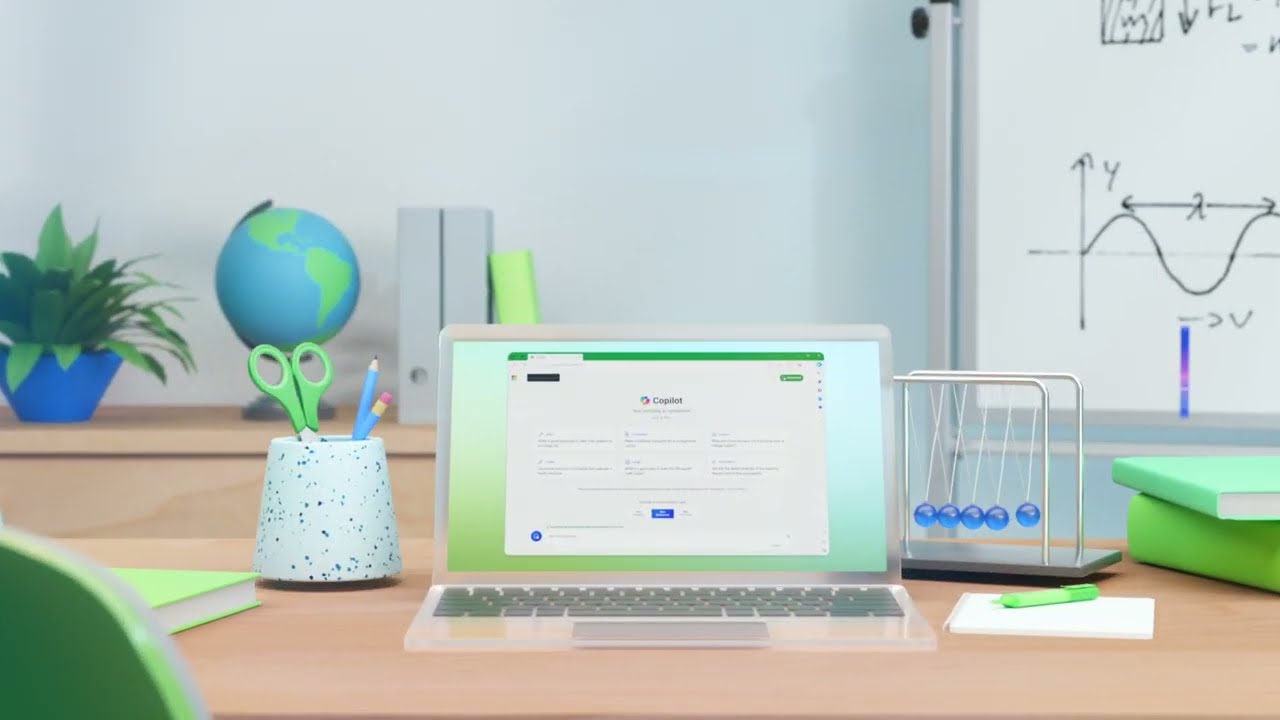
VIDEO
Meet your AI assistant for education: Microsoft Copilot (35 seconds)
TIME
2 min (video is 35 seconds, then discussion)
DO
Click the thumbnail. It opens YouTube: https://www.youtube.com/watch?v=K5z6t9gSO4E
The clip is a short promo with music and no narration. Tell the room that before you play it.
SAY
"This is 35 seconds with no voiceover. Watch what the teacher asks the tool to do."
ASK (after the video):
"What teaching tasks could AI help you finish faster?"
Take 2 or 3 answers. Link them back to the list on the board.
TIME
8 min
SAY
"Think of these tools as a pencil case. Every one writes. But you pick the right one for the job.
ChatGPT is the all-rounder. Brainstorming, lesson plans, explanations, activities, rubrics, feedback.
Copilot is Microsoft. If your school runs on Word, Outlook and Teams, Copilot sits right inside them. Great for drafting and summarising.
Gemini is Google. If you live in Google Classroom, Docs and Slides, start here.
Canva AI is for anything visual. Slides, posters, worksheets that look good.
And there are education-only tools built for quizzes, tutoring and interactive practice.
Here is the important part. The tool matters much less than how you ask. A good prompt in any of these beats a bad prompt in the best one. So do not worry about choosing. Use the one you already have."
ASK
"Who is using ChatGPT? Copilot? Gemini?" Quick show of hands.
TRANSITION
"So if the asking is what matters, let us learn how to ask."
Detail slide. The full script is on the previous slide.
SAY
Read each line out loud, slowly. Point at it on the screen as you go.
TIME
5 min
SAY
"Imagine you are off sick tomorrow and a substitute teacher walks into your classroom. What do you leave on the desk?
You would not leave a note that says 'teach Excel.' You would say: you are covering for me. This is a Year 10 group, mixed ability, they struggle with formulas. Please run this 30-minute activity. Keep it practical, no theory. Put the answers on the board at the end.
That note has five blocks. And a good AI prompt has the same five.
ROLE. Who should the AI be? 'You are an experienced IT instructor.'
CONTEXT. Who are the learners? 'Beginner adult learners.'
TASK. What exactly do you want? 'Create a 30-minute lesson.'
CONSTRAINTS. The limits. 'Three objectives, simple language, no jargon.'
OUTPUT. The shape. 'Give it to me as a table.'
Look at the tower in the picture. Pull out one block and it wobbles. Leave out the context and the AI guesses your learners. It usually guesses wrong."
DO
Write R C T C O vertically on the board. Leave it up all session.
TRANSITION
"Let me show you the difference this makes."
Detail slide. The full script is on the previous slide.
SAY
Read each line out loud, slowly. Point at it on the screen as you go.
TIME
5 min (live demo)
SAY
"Three blocks in the picture. Small, medium, large. The small one is smooth and plain. The large one is full of detail. Your prompt works the same way. What you put in is what you get out.
WEAK
'Create a lesson about cybersecurity.' The AI has to guess everything. Age? Level? Length? You get something generic.
BETTER
we add a role, the learners and the time.
STRONG
we add exactly what we want inside the lesson. Three objectives. A five-minute introduction. Two activities. Five quiz questions. A three-question exit ticket. Simple language."
DO (live):
Paste the WEAK prompt into the AI tool on the projector. Then the STRONG one. Scroll through both answers side by side.
Strong prompt to paste:
You are an IT instructor. Create a 30-minute cybersecurity lesson for beginner adult learners. Include 3 objectives, a 5-minute introduction, 2 activities, 5 quiz questions, and a 3-question exit ticket. Use simple language.
ASK
"Which one could you teach from tomorrow morning?"
TRANSITION
"Now it is your turn."
Detail slide. The full script is on the previous slide.
SAY
Read each line out loud, slowly. Point at it on the screen as you go.
TIME
7 min work + 2 min share
SAY
"Look at the picture. A crumpled ball of paper and a clean folded sheet. Your job is to turn one into the other.
Here is the crumpled prompt: 'Create questions about Excel.'
Rewrite it using the five blocks. Then run it in your AI tool. Then compare with the person next to you. Whose answer is more useful, and why?
You have seven minutes. Go."
DO
Start the timer. Walk the room. If a pair is stuck, ask them: "Who are the learners? How many questions? What type?"
Model answer if needed:
You are a computer skills trainer. My learners are adult beginners who have used Excel twice. Create 8 questions on SUM, AVERAGE and cell references. Mix 4 multiple-choice and 4 practical tasks. Present them in a table with the answer in the last column.
SHARE
Ask two pairs to read their before and after prompts aloud.
Detail slide. The full script is on the previous slide.
SAY
Read each line out loud, slowly. Point at it on the screen as you go.
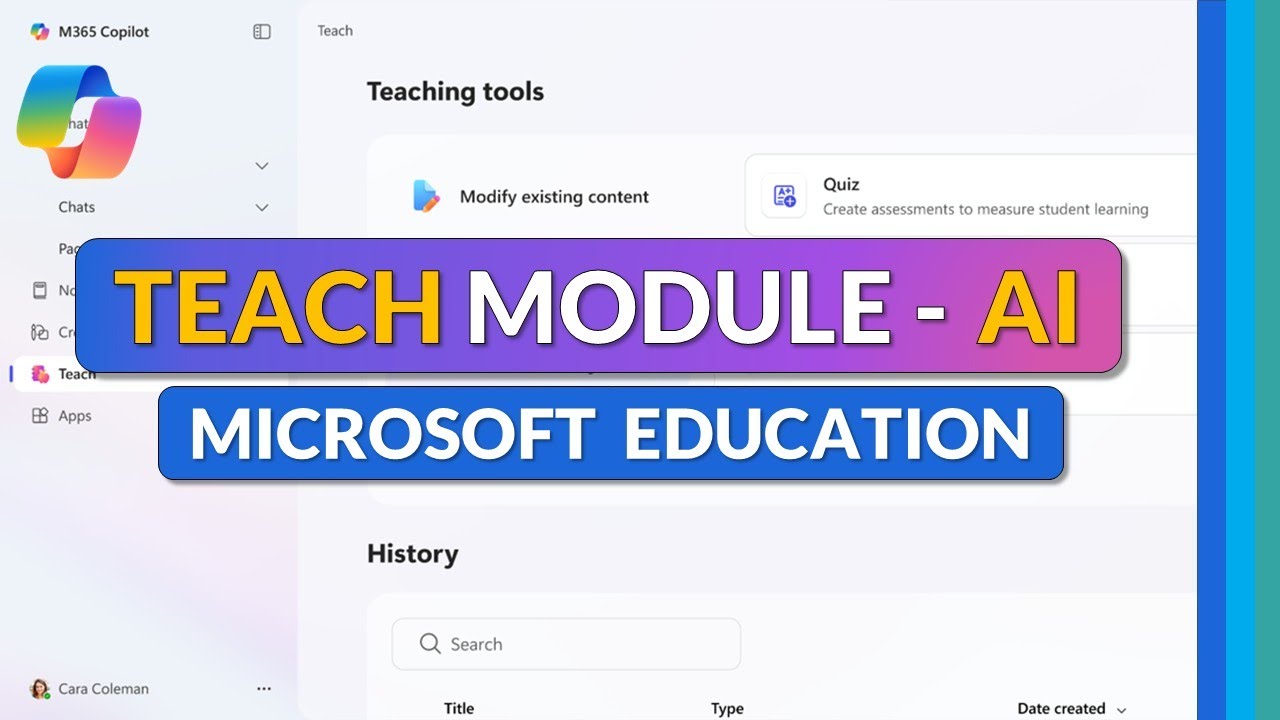
VIDEO
AI-powered Teach Module for Teachers: full tutorial
TIME
3 to 4 min (play the first few minutes only)
DO
Click the thumbnail. It opens YouTube: https://www.youtube.com/watch?v=WkXVukl62KU
Play the opening few minutes, enough to show a lesson plan being generated. Stop before it becomes a menu tour.
SAY
"Watch how the teacher gives the tool context before asking for anything. That is the five blocks in action."
ASK
"Which AI-made teaching resource would you use first?"
TRANSITION
"Right. You are about to build your own."
TIME
10 min
SAY
"An empty planner. You know the feeling on a Sunday night. Today AI fills the boxes and you edit.
Pick a topic you actually teach. Not a made-up one. Ask your AI tool for a 30-minute lesson with five parts: objectives, introduction, a main activity, an assessment and differentiation.
Use the five blocks. Ten minutes."
PROMPT TO SHARE (put in the chat or on the board):
You are an experienced [subject] teacher. My learners are [age/level] and [one detail about them]. Create a 30-minute lesson on [topic]. Include learning objectives, a 5-minute introduction, one main activity, a short assessment, and how to support weaker and stronger learners. Present it as a table with timings.
DO
Walk the room. Ask each person: "What would you change before you teach this?" That question is the point of the activity.
DEBRIEF (1 min):
"Who found something wrong or not right for their class?" Praise that. Catching it is the skill.
Detail slide. The full script is on the previous slide.
SAY
Read each line out loud, slowly. Point at it on the screen as you go.
TIME
8 min
SAY
"Remember the pattern: two, two, one. Two multiple-choice. Two short-answer. One scenario question, where learners apply what they know to a real situation.
Use the lesson you just built. Ask the AI for those five questions.
Then here is the trick. Ask a second time: 'Now give me the answers and explain why each answer is correct.' Read the explanations. That is where you catch AI mistakes. If the explanation is weak, the question is probably weak too."
PROMPT
Using the lesson above, create 5 questions: 2 multiple-choice, 2 short-answer and 1 scenario-based question. Then give the correct answers with a one-line explanation for each.
DO
Ask one volunteer to read their scenario question aloud. Ask the room: "Is it fair? Is it clear?"
Detail slide. The full script is on the previous slide.
SAY
Read each line out loud, slowly. Point at it on the screen as you go.
TIME
8 min
SAY
"Look at this little mountain. One flag at the top. Three ways up. A long gentle ramp. A staircase. A steep ladder.
That is differentiation. Same objective, the flag. Different routes for different learners.
Doing this by hand takes ages. With AI it takes one prompt. Give it one learning objective and ask for three versions of the activity: beginner, intermediate and advanced. The rule is that all three still reach the same flag."
PROMPT
Learning objective: [write it]. Create three activities that all meet this objective: one for beginners, one for intermediate learners, one for advanced learners. For each, give the instructions to learners and how long it takes.
ASK
"Do all three really reach the same flag? Or did the AI change the objective for the advanced group?" This is a common AI slip.
Detail slide. The full script is on the previous slide.
SAY
Read each line out loud, slowly. Point at it on the screen as you go.
TIME
6 min
SAY
"Here is the simplest rule I know. Treat a public AI tool like the noticeboard in the staffroom. If you would not pin it up for everyone to read, do not type it in.
So: no student names. No grades. No medical notes. No behaviour reports. The folder in the picture stays locked.
Second. Check the facts. AI can be wrong and sound completely sure of itself. Dates, formulas, quotes and references are where it slips most.
Third. Be open about how you use AI and follow your school's policy.
Fourth. AI should help learners learn. It should not do the learning for them or get them past an assessment.
Fifth. Look for bias. Does it assume everyone has the same background, the same home, the same language? Is it accessible?"
ASK
"Does your school already have an AI policy? Who has read it?"
TRANSITION
"Let us test the line between AI and human judgment."
Detail slide. The full script is on the previous slide.
SAY
Read each line out loud, slowly. Point at it on the screen as you go.
TIME
6 min (2 min groups, 4 min share)
SAY
"A balance scale. A robot on one side, a person on the other. For each scenario, decide which side it belongs on.
Two minutes in your groups. Then I will ask each group to defend one."
ANSWER KEY
A. Brainstorming ideas: AI is fine. Low risk, and you choose the ideas.
B. Deciding a pass or fail: HUMAN. This affects a learner's future. It needs professional judgment and accountability.
C. First draft of a quiz: AI is fine, as long as you review it before it reaches learners.
D. Personal student information: NO. Never put personal learner data into a public AI tool.
KEY LINE TO END ON
"AI can draft. Only a human can decide."
Detail slide. The full script is on the previous slide.
SAY
Read each line out loud, slowly. Point at it on the screen as you go.
TIME
10 min. This is the most important block. Protect it.
SAY
"Remember the list on the board, the tasks that ate your time? Pick one. A real one. Something you need this week.
Five steps. Get a first draft. Improve your prompt and run it again. Check the content: is it right, is it right for my learners? Save it. Then decide exactly when you will use it.
Ten minutes. When the sand runs out, you should have a finished resource."
DO
Start the timer. Give a 5-minute and a 1-minute warning. Help anyone still stuck on choosing a task: suggest an exit ticket, a homework sheet or a parent email.
SHARE (2 min, can come out of wrap-up):
"Who will use theirs this week? Tell us what it is and when."
Detail slide. The full script is on the previous slide.
SAY
Read each line out loud, slowly. Point at it on the screen as you go.
TIME
2 min
SAY
"If you remember one picture from today, make it this stamp. Nothing AI makes goes to a learner without your stamp of approval.
Five things to take home.
Start with your teaching goal, not with the tool.
Better prompts give better results. Use the five blocks.
Everything AI gives you is a draft.
Protect learner privacy and academic integrity.
And share what works with your colleagues. One good prompt saves the whole department time."
Detail slide. The full script is on the previous slide.
SAY
Read each line out loud, slowly. Point at it on the screen as you go.
TIME
1 min
SAY
"This is the five blocks as fill-in-the-blanks. Six lines. Take a photo of this slide now. Next time you open an AI tool, start by filling in these six lines and you will rarely get a bad answer."
Detail slide. The full script is on the previous slide.
SAY
Read each line out loud, slowly. Point at it on the screen as you go.
TIME
1 min
SAY
"A small seed growing out of a book. That is how this works. Start with one small task this week. Not ten. One.
Use the resource you made today with one class. See what works. Then try the next one.
Start small. Teach smarter. Thank you."
DO
Take questions. Share the prompt cheat sheet and both video links by email or in the class chat.
Trainer reference. Times are cumulative from the start and total about 90 minutes including discussion, so trim the video clips and shares if you only have 70.
Before the session:
1. Test both YouTube links on the room's screen and Wi-Fi.
2. Log into one AI tool on the presenter laptop for the live demo on slide 8.
3. Have a timer ready that the room can see.
4. Write R C T C O on the board before people arrive.
All 35 slides
Click any slide to open it in the presenter above.