TIME
1 min
SAY
"Good morning everyone, and thank you for having me.
Before we start, please open one AI tool in your browser. Microsoft Copilot, ChatGPT or Gemini. Any of them is fine.
Here is today in one sentence. AI writes the first draft. You make it good.
Trainers, you will leave with a lesson and a quiz for your own programme. Admin team, you will leave with a faster way to write emails, meeting minutes and reports."
DO
Put the main links in the Teams chat. Ask people to keep their camera on for the activities if they can.
TRANSITION
"Here is the whole session on one page."
TIME
30 sec
SAY
"Eight steps. Each one ends with something you made. Trainers, steps four and five are yours. Admin team, step six, the orange one, is built for you. Everyone does step seven and the final challenge.
One rule for today. When the timer is on screen, you work. When it stops, we share."
DO
Keep to time. If the session is shorter than planned, cut the videos first, never the final challenge.
TIME
1 min
SAY
"Look at this picture. A robot hand passes a draft. A human hand holds the red pen. That is the whole relationship.
Think of AI as a very fast intern who has read a million textbooks. Ask for a quiz and you have one in five seconds.
But this intern has never met your trainees. It does not know your curriculum or your standards. And sometimes it says something wrong with total confidence.
So the intern drafts. You decide what reaches your trainees."
ASK
"What took you the most time last week that was not teaching or real admin work?" Take three answers and type them into the Teams chat. We come back to them in the final challenge.
TIME
1 min
SAY
"Left side, green light. AI is great at first drafts, ideas, quiz questions and summaries.
Right side, red light. You always check facts and numbers, safety rules, Saudi regulations, and whether it suits your trainees' level.
In vocational training this matters even more. A wrong step in an electrical or HVAC procedure is a safety problem, not just a typo."
ASK
"Has anyone already caught AI making a mistake?" One quick story is enough.
TIME
1 min (35-second clip)
DO
Click the picture to open YouTube. Share your screen WITH computer sound in Teams (Share > include sound). The clip has music and no narration, so say that first.
SAY
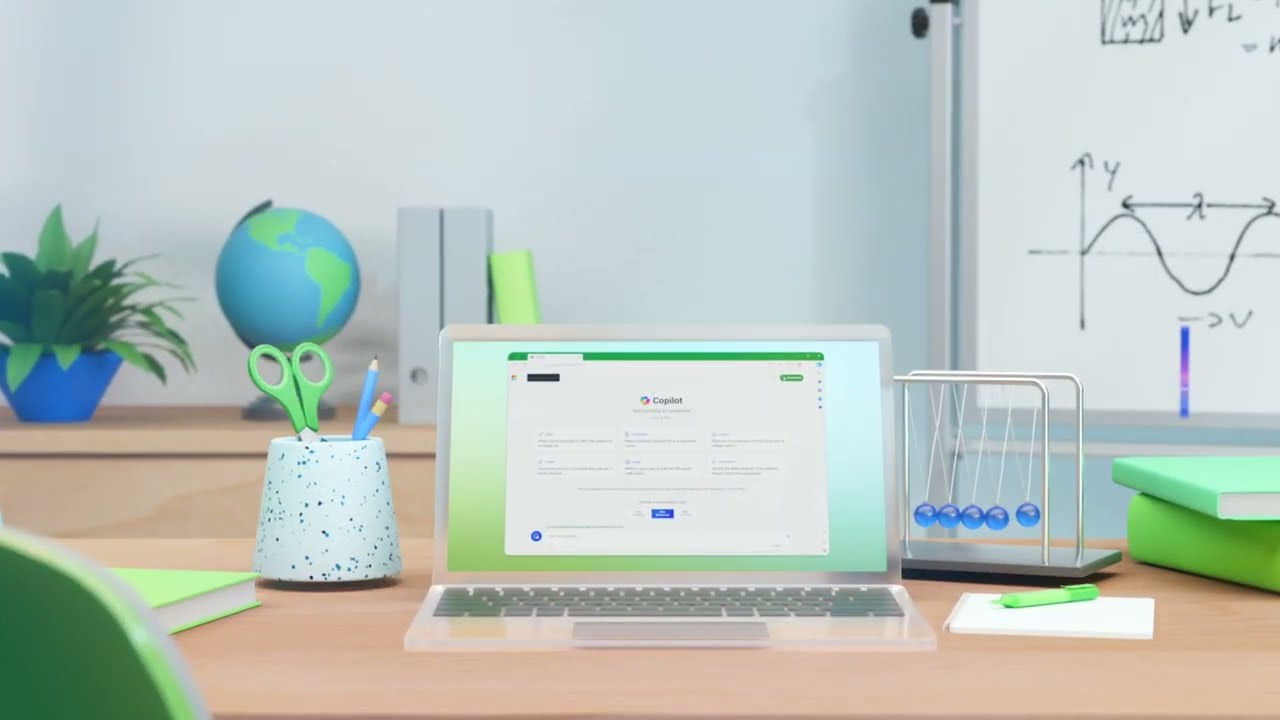
"35 seconds. Watch what the teacher asks Copilot to do. If you already work in Microsoft Teams and Outlook, this is the tool closest to your daily work."
ASK
"Which task could AI do faster for you?" Take answers in the chat.
TIME
2 min
SAY
"Four accounts, same three steps. Open the website, sign in with your work email or Google, confirm the code. Copilot needs no new account at all: your work Microsoft login is the account.
You do not need a paid plan for anything we do today."
DO
Paste the four links in the Teams chat. Give people 90 seconds. Anyone stuck on a verification code: ask them to check the junk folder.
ASK
"Put a thumbs up in the chat when you are signed in to at least one."
TIME
1 min
SAY
"Five tools, five jobs.
Copilot lives inside Teams, Outlook and Word. If your workplace runs on Microsoft, this is the easiest place for most of you to start.
ChatGPT is the all-rounder for planning, explaining and writing.
Gemini is strong for ideas and works with Google tools.
Canva AI is for anything visual: slides, posters, worksheets.
Claude is the careful writer. Give it a long document, a policy or a set of notes and it reads the whole thing and writes in a clear, steady tone. Good for reports and anything a sponsor will read.
Here is the important line at the bottom. The tool matters less than the way you ask. A good prompt in any of them beats a bad prompt in the best one. So pick the one you already have and learn it well."
DO
Before the session, check with your IT team which tools staff are allowed to use, and say it here.
ASK
"Type in the chat which tool you have open right now."
TIME
2 min
SAY
"Imagine you are off sick tomorrow and a substitute teacher covers your class. You would not leave a note that just says 'teach air conditioning.'
You would say who they are covering for. Who the trainees are. What to teach. How long, how hard. And how to run it.
That note has five blocks. A good AI prompt has the same five.
ROLE. Who should the AI be? 'You are an HVAC instructor.'
CONTEXT. Who are the trainees? 'First-year diploma students.'
TASK. What exactly do you need? 'A 30-minute lesson.'
LIMITS. Time, length, difficulty. 'Simple English, one activity.'
FORMAT. How should it look? 'A table with timings.'
Leave one block out and the AI guesses. It usually guesses wrong."
DO
Ask everyone to write ROLE, CONTEXT, TASK, LIMITS, FORMAT on a sticky note or in their notes. They will use it all session.
TIME
1 min 30 sec
SAY
"Here is a real example from our HVAC Technician diploma.
The weak prompt: 'Make a lesson about air conditioners.' The AI has to guess everything. What level? How long? Theory or practical? You get something generic.
The strong prompt has all five blocks. Look at the colours. Role, context, task, limits, format."
DO (live):
Share your screen. Paste the weak prompt into Copilot or ChatGPT. Then paste the strong one. Scroll through both answers side by side.
STRONG PROMPT TO PASTE
You are an HVAC instructor at a Saudi vocational academy. My trainees are first-year diploma students, new to refrigeration. Plan a 30-minute lesson on how a split AC cools a room. Use simple English, one hands-on activity and a 5-question exit quiz. Give it as a table with timings.
ASK
"Which one could you teach from tomorrow morning?"
TIME
1 min
SAY
"This is the shape of what came back. A hook, an explanation, a hands-on task and a quiz. Thirty minutes, planned in about ten seconds.
Now the important part. Check it. Are the four parts right? Yes: compressor, condenser, expansion valve, evaporator. Is the activity safe and possible in our lab? Is the English simple enough for first-year trainees?
AI did the typing. You did the teaching judgment."
TIME
3 min activity
SAY
"Your turn. This weak prompt comes from our Business Administration diploma: 'Create questions about Excel.'
Rewrite it with the five blocks. Run it in your AI tool. Then compare with your partner. Whose answer is more useful, and why?
Admin team, join in. This works for any task."
DO
Start the timer. Use Teams breakout rooms of 2 or 3 if you can. Visit rooms and ask stuck pairs: "Who are the learners? How many questions? What kind?"
MODEL ANSWER (share if needed):
You are a computer skills trainer at a Saudi vocational academy. My trainees are first-year Business Administration diploma students who know basic Excel. Create 8 questions on SUM, AVERAGE and cell references: 4 multiple-choice and 4 practical tasks. Present them in a table with the answer in the last column.
SHARE
Two pairs read their before and after prompts aloud.
TIME
1 min
SAY
"Four steps for every lesson.
One, pick a real topic from your programme.
Two, prompt with the five blocks.
Three, check it. Facts, safety, the level of your trainees.
Four, teach it, and improve it next time.
AI does step two in seconds. Step three is the step only you can do. That is your expertise."
TIME
3 min activity
SAY
"These are seven diploma programmes. Pick yours. Pick one real topic you will teach in the next two weeks.
Ask AI for a 30-minute lesson with five parts: objectives, an introduction, one activity, a short quiz, and support for weaker trainees. Use the five blocks."
PROMPT TO PASTE IN THE TEAMS CHAT
You are an experienced [programme] instructor at a Saudi vocational academy for women. My trainees are [first / second]-year diploma students. Plan a 30-minute lesson on [topic]. Include learning objectives, a 5-minute introduction, one hands-on activity, a short quiz, and how to support weaker trainees. Give it as a table with timings.
DO
Ask each person: "What would you change before you teach this?" That question is the point of the activity.
Admin team: use these 3 minutes to try the admin examples coming up in step 6, or pair with a trainer.
TIME
1 min
SAY
"Remember this pattern: two, two, one. Two multiple-choice. Two short-answer. One scenario, where trainees use what they know in a real workplace situation.
Then the trick. Ask a second time: 'Give the answers and explain each one.' Read the explanations. That is where you catch AI mistakes. If the explanation is weak, the question is weak too."
TIME
1 min
SAY
"Two questions AI wrote for our Health and Safety diploma.
The multiple-choice one: which colour safety sign means you must do something? The answer is B, blue. Blue round signs are mandatory signs, like 'wear eye protection'.
The scenario: a chemical spill near the workshop exit. The model answer: warn people and keep them away, tell the supervisor, then check the safety data sheet before anyone cleans up.
Both are good. But notice: I checked them. If AI had said red for mandatory, that is a safety mistake reaching a trainee. You are the last check."
ASK
"Health and Safety trainers, would you change anything in the model answer?"
TIME
3 min activity
PROMPT TO PASTE IN THE TEAMS CHAT
Using the lesson above, create 5 questions: 2 multiple-choice, 2 short-answer and 1 workplace scenario question. Then give the correct answers with a one-line explanation for each.
DO
Ask one volunteer to read their scenario question aloud. Ask the room: "Is it fair? Is it clear? Is the answer right?"
TIME
30 sec
SAY
"One mountain, one flag, three ways up. A gentle ramp, a staircase and a ladder.
That is differentiation. Same goal for every trainee, different routes depending on where she starts.
Doing this by hand takes ages. With AI it is one prompt."
TIME
30 sec
SAY
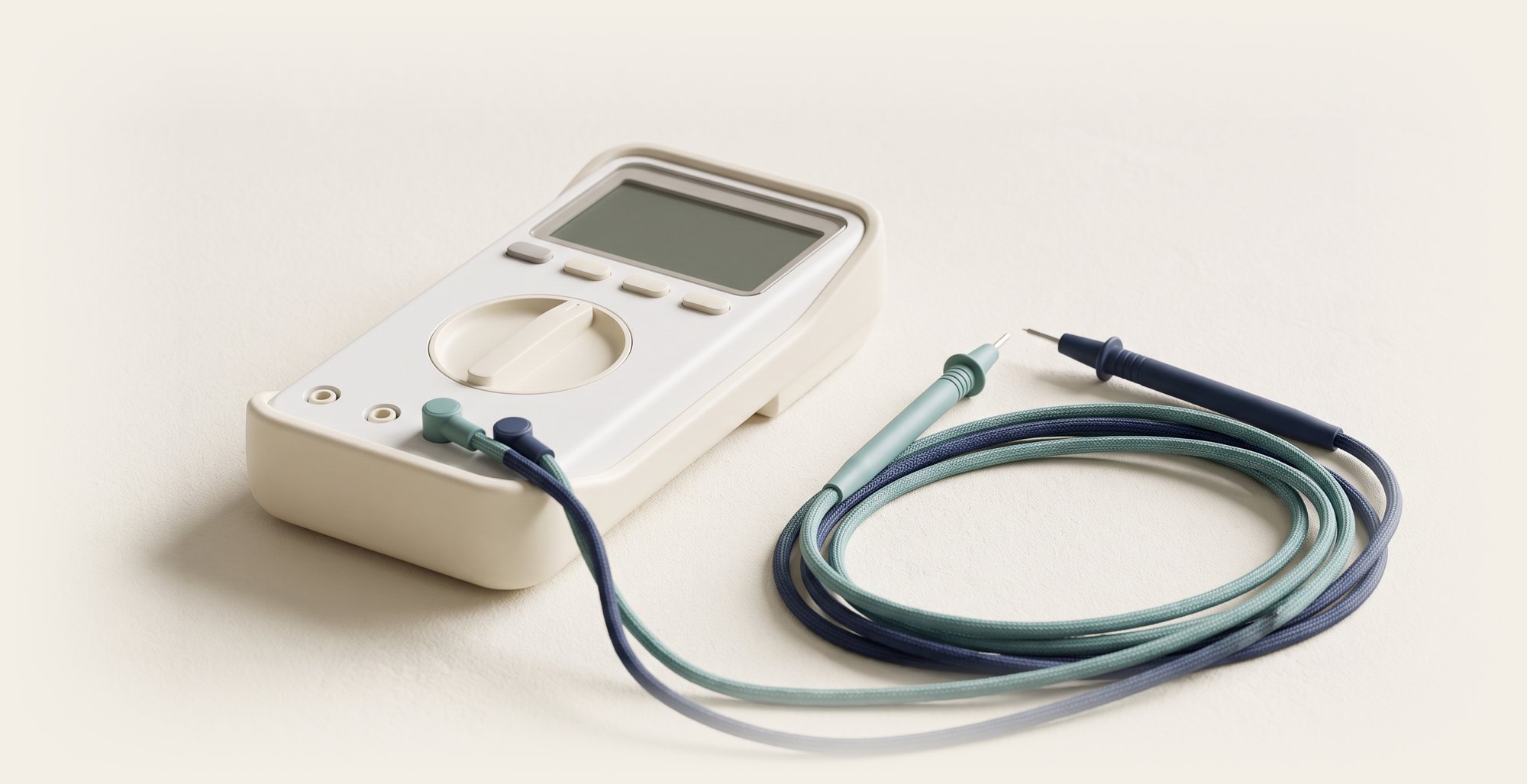
"Real example from our Electrical Technician diploma. One goal: measure voltage safely with a multimeter.
Beginner: label the parts of a multimeter on a photo.
Middle: measure three practice circuits in pairs and record the readings.
Advanced: find the fault in a circuit and write a five-line report.
Same flag. Three routes. Notice the steps get taller, like the staircase on the mountain."
PROMPT
Learning goal: measure voltage safely with a multimeter. Create three activities that all meet this goal: one for beginners, one for middle-level trainees, one for advanced trainees. For each, give the instructions to trainees and the time needed.
ASK
"Does the advanced task still meet the same goal, or did AI change the goal?" This is a common AI slip.
TIME
2 min activity
DO
Trainers work alone or in pairs. Share one example at the end.
ASK
"Who found that AI changed the goal for the advanced level?" Praise anyone who caught it.
TIME
30 sec
SAY
"Now the part for our administration team. Trainers, stay with us. You write emails and attend meetings too.
Same idea as before. AI drafts in minutes. You check. Then you send."
TIME
1 min
SAY
"Four jobs that fill an admin week.
Emails: updates to sponsoring companies, replies, reminders.
Meetings: turn a Teams recap into a clear action list.
Reports: turn an attendance export into a summary.
Notices: announcements for trainees and staff, in Arabic and English.
And the method does not change. Same five blocks, different job."
TIME
1 min
SAY
"Admin example one. An email to a company that sponsors our trainees.
Left side: what you type. Look, it still has the five blocks. Role: admissions officer. Context: a sponsoring company. Task: the email. Limits: under 100 words. And the format is an email.
Right side: what AI gives back in about 20 seconds. You add the name and attach the report.
And the red line at the bottom. The prompt has no trainee names and no ID numbers. The report stays in our system. AI only writes the covering email."
DO
Run the prompt live in Copilot or Outlook's Copilot if available.
TIME
1 min
SAY
"Admin example two. After a Teams meeting, Copilot in Teams can give a recap. If it is not available, paste your own rough notes into any AI tool.
Then one line: list the decisions, owners and deadlines as a table.
You get this. Who does what, by when. Paste it into the follow-up email and everyone knows their job."
NOTE
These rows are sample practice rows, not real decisions. Say so if asked.
DO
Check with your IT team whether Copilot meeting recap is switched on for your Teams. If it is not, demo with pasted notes.
TIME
1 min
SAY
"Admin example three. You export the weekly attendance sheet from the system. You remove the names and ID numbers. Then you ask AI to summarise it by programme, show a bar chart, and flag anything under 90 percent.
In this sample, Supply Chain is flagged in red at 88 percent. That is the one you look into.
These are sample numbers for practice, not real figures."
IMPORTANT
Before pasting any export into a public AI tool, delete trainee names, national ID numbers and phone numbers. Use only the counts. If your organisation has an approved internal tool (for example Copilot with company data protection), use that.
TIME
1 min
SAY
"One rule to remember: the traffic light.
GREEN, go. Ideas, drafts, lesson outlines, quiz drafts. Use AI freely.
AMBER, check first. Facts, numbers, safety steps and regulations. AI can be wrong and sound completely sure. In a vocational academy, a wrong safety step matters.
RED, never. Trainee names, national ID numbers, grades and health information never go into a public AI tool.
Saudi Arabia's Personal Data Protection Law, the PDPL, protects personal data. And your IT policy decides which tools are approved. When in doubt, ask your IT team."
ASK
"Where would you put: writing a parent or sponsor email with a trainee's grade in it?" (Answer: RED, unless the grade and name are removed.)
TIME
2 min activity
SAY
"Four real situations. For each one: is it a job for AI, or for a human? Two minutes in your groups."
ANSWER KEY
A. Ideas for Health & Safety week: AI is fine. Green light. You choose the ideas.
B. Deciding a pass or fail: HUMAN. It affects a young woman's career and her sponsor. It needs professional judgment and accountability.
C. First draft of an HVAC quiz: AI is fine, amber. Check every answer before trainees see it.
D. Pasting a trainee's ID and grades: NO. Red light. Personal data never goes into a public AI tool.
KEY LINE TO END ON
"AI can draft. Only a human can decide."
TIME
30 sec
SAY
"Remember the time-eaters we typed in the chat at the start? Pick one. A real task you need this week. Trainers, a lesson, a quiz or a worksheet. Admin, an email, a report or a notice.
Four minutes. When the sand runs out, you should have something finished."
TIME
3 min activity
DO
Start the timer. Give a 1-minute warning. If someone is stuck choosing, suggest an exit ticket, a homework sheet, a sponsor email or a weekly notice.
SHARE
"Who will use theirs this week? Paste it in the chat and tell us when you will use it."
TIME
30 sec
SAY
"Take a screenshot of this slide now. It is the five blocks with a real example from our Supply Chain diploma. Change the words in the brackets for your own programme or task, and keep the five blocks."
TIME
30 sec
SAY
"Three words. Draft: AI writes the first version. Check: you fix the facts, the safety and the level. Use: teach it, send it, and improve it next time.
That is the whole method. It works for a lesson, a quiz, an email or a report."
TIME
1 min
SAY
"Same task, two ways. By hand, a 30-minute lesson plan takes about 45 minutes and usually has no timings and no exit quiz.
With the 5-block prompt, AI drafts it in seconds. You spend about 6 minutes checking it. Total 8 minutes, and the plan is better."
NOTE
Times are typical estimates, not measured today. Say so if asked.
TIME
30 sec
SAY
"Seven everyday jobs. About 200 minutes by hand, about 36 with AI plus your check. That is nearly 3 hours back. The check is never optional."
TIME
30 sec
DO
Paste azizsaif.com/ai-learning/results in the Teams chat. It has every example side by side, every prompt to copy, and a calculator for their own week.
TIME
30 sec
SAY
"A small seed growing out of a book. Start with one task this week. Not ten. One lesson, or one email.
Thank you all. Start small. Teach smarter."
DO
Take questions. Share the page link azizsaif.com/ai-learning in the Teams chat so everyone keeps the slides, prompts and the prompt card.
TIME
30 sec
SAY
"Look at what you made in 40 minutes. A lesson, a quiz, three levels, an email, an action table and a chart. That is about 164 minutes of work back.
Download the slides now, PDF or HTML, and share them with your team. Then pick one task and use it this week."
DO
Leave this slide on screen while you take questions.
TIME
Whole session: 40 minutes.
PLAN
AI basics 4 · Tools 1 · Prompts 8 · Lesson 7 · Quiz 5 · Admin 5 · Safe use 3 · Challenge 7.
Activities are short: 3, 3, 3, 2 and 2 minutes, then a 3-minute final challenge. Never skip the final challenge.
BEFORE THE SESSION
1. Confirm with your IT team which AI tools staff may use, and whether Copilot meeting recap is on.
2. Test the Copilot video with “share sound” in Teams.
3. Paste the prompts from these notes into a document so you can drop them into the Teams chat.
4. Set up breakout rooms of 2 or 3 for the activities.