DIY-Web · AI Video Build by Aziz Technics

Claude Code + Higgsfield = 100+ AI videos in minutes

The exact setup walkthrough — Node.js, Claude Code, Playwright MCP and Higgsfield — built for Gulf SMEs with zero dev background. Follow it top to bottom and you'll be generating UGC ad videos by the end.

Mac + Windows VS Code / Cursor Node.js Claude Code Higgsfield ~25 min setup
01 — Before you begin

What you need

Five items — three are free downloads, one account is needed, and one we install during setup.

💻

Mac or Windows PC

Works on macOS 12+ or Windows 10/11. Both paths are covered below.

Required
🖊️

VS Code or Cursor

Free code editors. Cursor has AI built in — recommended for beginners. cursor.com or code.visualstudio.com

Free download
🌐

Chrome browser

Playwright automation drives Chrome to interact with Higgsfield. Install it before setup.

Free download
🎬

Higgsfield account

Sign up at higgsfield.ai — free credits on signup. Paid plans unlock bulk UGC generation.

Account needed
⚙️

Node.js

The engine that runs Claude Code and Playwright. We install this in Step 1 — nothing to do now.

We install below
🤖

Claude Code (CLI)

Anthropic's command-line AI agent — installed via npm in Step 2. Needs an Anthropic login or API key.

We install below
02 — The mental model

How it all connects

Each tool hands off to the next. You type plain English into Claude Code; it drives Chrome through Playwright to run Higgsfield, and the finished videos land back on your machine — ready for every channel.

🖥️
Your computer
Mac or Windows
⚙️
Node.js
Runtime engine
🤖
Claude Code
@anthropic-ai/claude-code
🎭
Playwright MCP
Browser automation
🔗
Higgsfield MCP
AI video engine
🌐
Chrome
Playwright drives it
🎬
Higgsfield.ai
UGC video platform
📱
TikTok ad
9:16 vertical
📸
Instagram Reel
Reels format
▶️
YouTube Short
60s max
📣
Meta Ads
Performance UGC
03 — See it first

Watch the full walkthrough

Click to play — original tutorial by Alex Robinson on YouTube. Then come back and follow the written steps below.
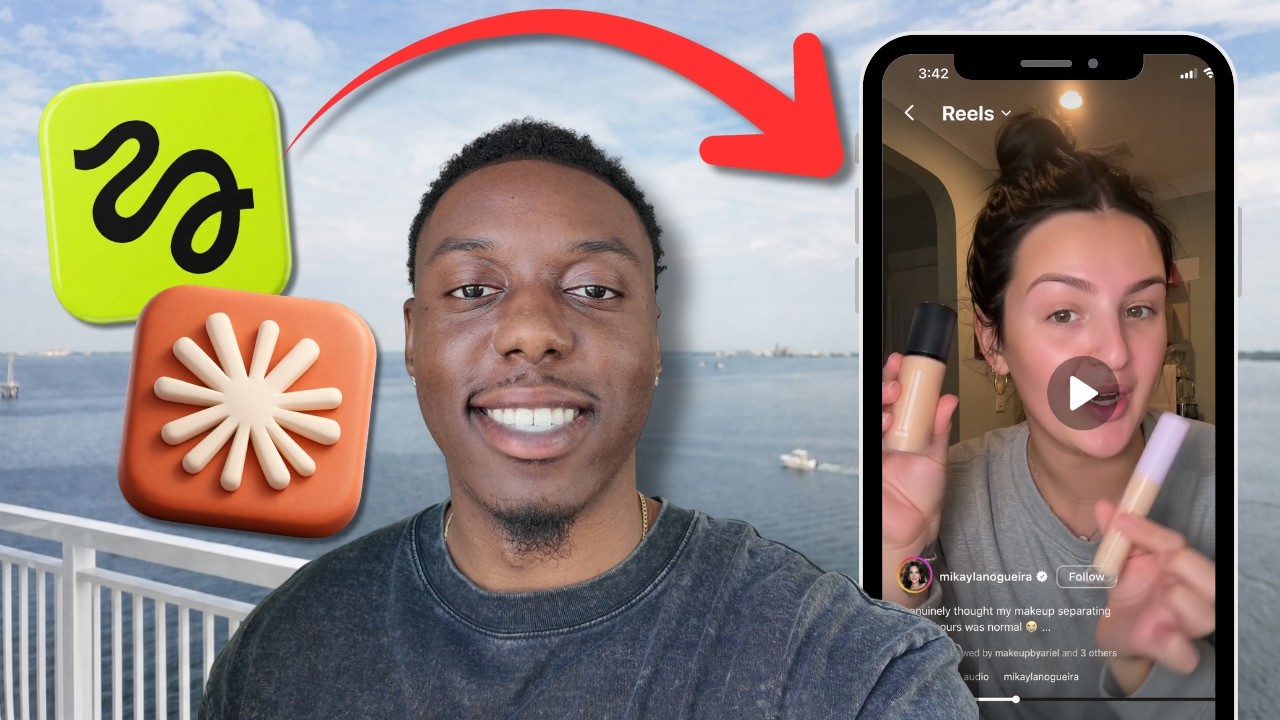
Claude Code + Higgsfield tutorial walkthrough
04 — Full setup guide

Setup — step by step

Follow in order — each step takes 2–5 minutes. Total setup time: about 25 minutes.

1
🍎 Mac

Install Node.js on Mac

Node.js powers everything. We install it via Homebrew — the Mac package manager. Open Terminal (search "Terminal" in Spotlight).

# 1a — Install Homebrew (Mac package manager) /bin/bash -c "$(curl -fsSL https://raw.githubusercontent.com/Homebrew/install/HEAD/install.sh)" # 1b — Install Node.js brew install node # 1c — Verify both (should print version numbers) node --version npm --version
What you should see: after node --version you'll see something like v22.x.x. If you see that — you're good.
1
🪟 Windows

Install Node.js on Windows

Open PowerShell as Administrator (right-click Start → Windows PowerShell (Admin)), then paste these commands.

# 1a — Install Chocolatey (Windows package manager) Set-ExecutionPolicy Bypass -Scope Process -Force; iex ((New-Object System.Net.WebClient).DownloadString('https://community.chocolatey.org/install.ps1')) # 1b — Install Node.js choco install nodejs -y # 1c — Restart PowerShell, then verify node --version npm --version
Alternative: go to nodejs.org, download the LTS installer (.msi), run it → Next → Next → Install. Done.
2
Both platforms

Install Claude Code (CLI)

Claude Code is the AI agent you'll type commands into. Install it globally via npm — works on Mac Terminal and Windows PowerShell.

# Install Claude Code globally npm install -g @anthropic-ai/claude-code # Verify installation claude --version # Launch (you'll be asked to log in) claude
On first launch: Claude opens a browser to sign in with your Anthropic account (claude.ai). Sign in, authorize, and you're redirected back to the terminal.
API-key method: alternatively set ANTHROPIC_API_KEY=your_key_here as an environment variable — get your key at console.anthropic.com.
3
Both platforms

Install Playwright MCP (browser automation)

Playwright lets Claude Code control Chrome to automate Higgsfield. We add it as an MCP server inside Claude Code.

# Add Playwright MCP to Claude Code claude mcp add playwright npx @playwright/mcp@latest # Verify it was added claude mcp list
You should see playwright listed in claude mcp list. If it's there — Playwright is wired up.
Chrome must be installed before running Playwright. Get it at google.com/chrome if you don't have it.
4
🔑 Higgsfield

Create your Higgsfield account + API key

Higgsfield.ai generates your UGC videos. Sign up, verify your email, then grab your API key.

Go to higgsfield.aiSign Up with Google or email.
Click your profile icon (top-right) → SettingsAPI KeysGenerate New Key.
Copy the key — it starts with hf_. Save it — you'll only see it once.
# Set the Higgsfield API key as an environment variable # Mac / Linux (add to ~/.zshrc or ~/.bash_profile) export HIGGSFIELD_API_KEY="hf_your_key_here" # Windows PowerShell $env:HIGGSFIELD_API_KEY="hf_your_key_here"
5
Both platforms

Install the Higgsfield skills pack for Claude Code

The skills pack gives Claude slash commands (like /ugc-video-auto) that automate the entire video pipeline. Install it now.

# Create your project folder mkdir higgsfield-ugc && cd higgsfield-ugc # Clone the Higgsfield skills pack git clone https://github.com/AKCodez/higgsfield-claude-skills /tmp/hf-skills # Copy skills into Claude Code's skills folder (Mac / Linux) cp -r /tmp/hf-skills/* ~/.claude/skills/ # Windows PowerShell version xcopy /E /I C:\temp\hf-skills $env:USERPROFILE\.claude\skills\
Verify: launch claude in your project folder, type / and you should see /ugc-video-auto, /higgsfield-image-auto and the other commands appear.
05 — Action

Generate your first UGC video

Everything is ready. Type a single command in Claude Code and watch it build a UGC video automatically.

# Launch Claude Code in your project folder claude # Then type this inside Claude: /ugc-video-auto Create a UGC ad video with an attractive lifestyle person promoting my perfume brand for Dubai Instagram # What Claude does next (automated): # 1. Generates a UGC character image via Higgsfield # 2. Launches Chrome via Playwright # 3. Logs into higgsfield.ai # 4. Submits the video prompt # 5. Downloads the finished video
🔥
Batch mode: to generate 100 videos, create a prompts.txt with one prompt per line, then run /ugc-video-auto --batch prompts.txt.
For Gulf / Arabic brands: add context like "halal product, modest styling, UAE market, Arabic subtitles" to your prompt for culturally appropriate UGC.
06 — If something breaks

Troubleshooting — top 5 fixes

SymptomFix
"command not found: claude"Close and reopen the terminal, then run npm install -g @anthropic-ai/claude-code again.
Playwright can't find ChromeRun npx playwright install chromium to install the bundled browser.
Higgsfield login failsConfirm the API key is set: echo $HIGGSFIELD_API_KEY (Mac) or $env:HIGGSFIELD_API_KEY (Windows).
Claude won't launch / auth errorRun claude auth logout then claude auth login to re-authenticate.
Skills not showingMake sure you copied the skill folders (not just the README) into ~/.claude/skills/.
07 — Your launch checklist

Tick these off before you generate

Click each box as you complete it.

Node.js installed (node --version runs without error)Mac: brew install node · Windows: chocolatey or nodejs.org installer
VS Code or Cursor downloaded and opened oncecursor.com is recommended — AI built in, simpler for beginners
Chrome installed and signed inRequired for Playwright browser automation to work
Claude Code installed (npm install -g @anthropic-ai/claude-code)Verify: claude --version in terminal
Logged into Claude Code via browser auth or API keyRun: claude — a browser window opens for Anthropic sign-in
Playwright MCP added (claude mcp add playwright npx @playwright/mcp@latest)Verify: claude mcp list shows "playwright"
Higgsfield account created and API key generatedhiggsfield.ai → Settings → API Keys → Generate New Key
HIGGSFIELD_API_KEY set as environment variableMac: export HIGGSFIELD_API_KEY="hf_..." in ~/.zshrc
Higgsfield skills pack cloned into ~/.claude/skills/Slash commands appear after typing / inside Claude Code
First test UGC video generated successfully 🎬Run /ugc-video-auto with a simple product description

Want this done for you?

Aziz sets this up for Gulf SMEs — perfume, fashion, food & grooming — with halal-appropriate UGC characters and Arabic-ready prompts.

Setup & training: 2 hours 100 videos in a weekend Dubai / UAE / GCC focus Halal-compliant content
WhatsApp Aziz now