One AI concierge, five tabs
Instead of a search box and a long form, the home screen is a conversation. Joy already knows the family — allergies, the twins, who's coming Friday — so every screen is pre-personalised. The bottom tab bar is the spine of the app.
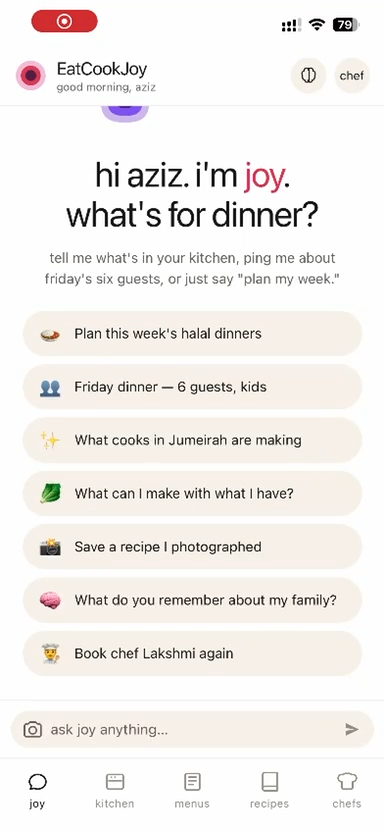
“Hi Aziz. I'm Joy. What's for dinner?”
The landing screen is a warm, first-name greeting and a set of one-tap intents drawn from the family's real context — “Plan this week's halal dinners,” “Friday dinner — 6 guests, kids,” “What can I make with what I have?” No menus to dig through; the most likely next action is always one tap away.
Replaces the empty search box with intent-led prompts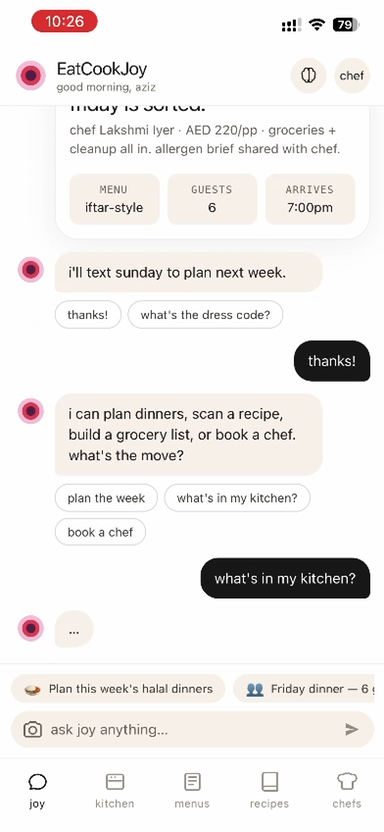
A conversation, not a form
Ask Joy to plan the week, scan a recipe, build a grocery list, or book a chef — and it carries the thread. It confirms the booking inline (“Chef Lakshmi · AED 220/pp · groceries + cleanup · iftar-style · 6 guests · 7:00pm”), then offers the next sensible step. Quick-reply chips keep typing to a minimum.
One thread plans meals, groceries and bookings together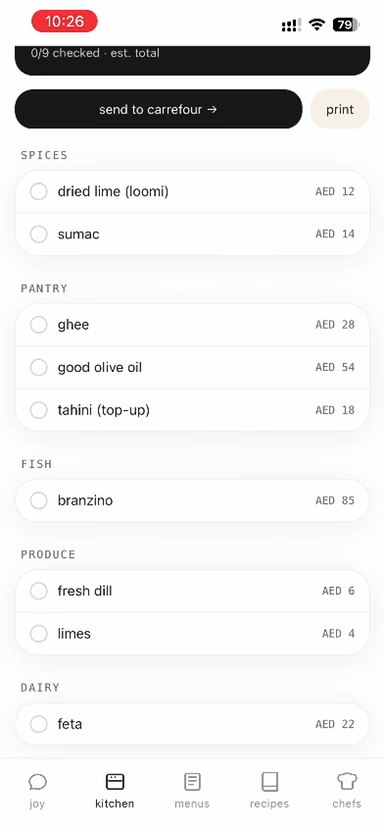
From menu to grocery cart in one tap
Once a menu is chosen, Joy turns it into a priced shopping list grouped by aisle — Spices, Pantry, Fish, Produce, Dairy — each line with an AED estimate and a running total. “Send to Carrefour” hands the basket straight to delivery; “Print” is there for the chef. This is the food-cost control surface from the ops playbook, made consumer-friendly.
Auto-priced, aisle-grouped, one-tap to Carrefour / Kibsons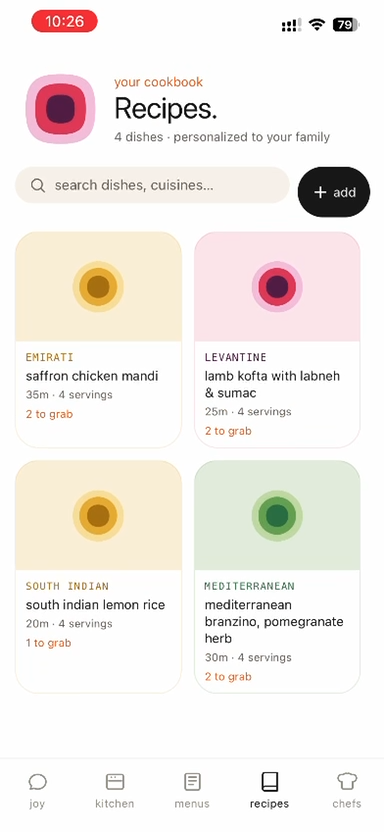
Your cookbook, personalised to the family
A clean grid of dishes — Emirati saffron chicken mandi, Levantine lamb kofta, South Indian lemon rice, Mediterranean branzino — each tagged by cuisine, time and servings, with a “to grab” count showing how close you are to cooking it tonight. Search by dish or cuisine, or add your own.
Cuisine · time · servings · “ingredients to grab” at a glance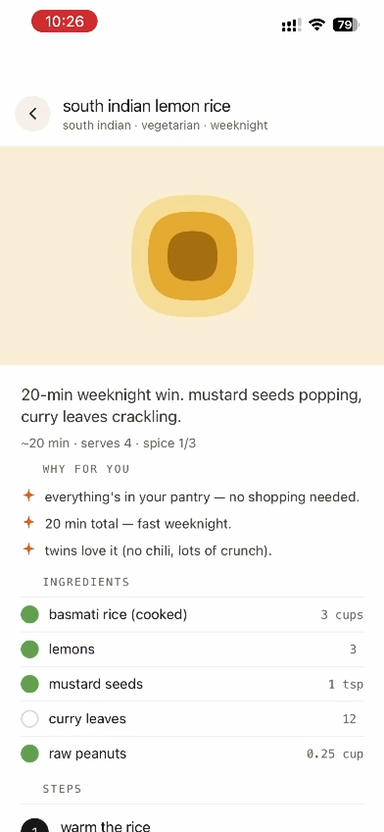
“Why for you” — the reason it's recommended
Every recipe opens with a Why for you block — “everything's in your pantry, no shopping needed,” “20 min total,” “the twins love it (no chili, lots of crunch).” Then the ingredients with smart checkmarks (green = you already have it) and numbered steps. Personalisation is shown, not hidden.
Transparent recommendations + pantry-aware ingredient checks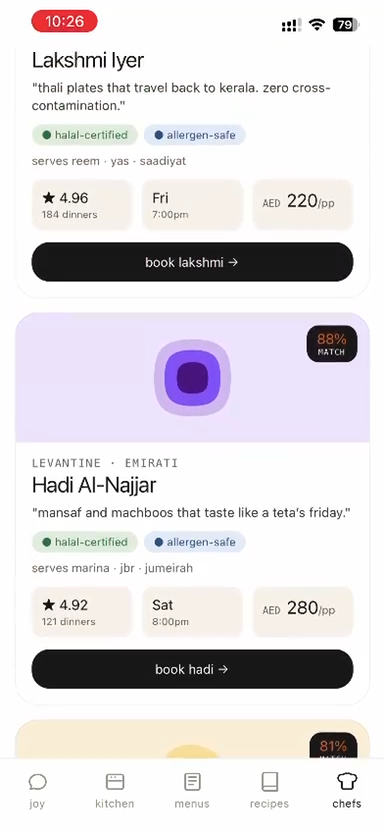
Discover a chef, see the match, book
When the family wants the night off, the Chefs tab surfaces vetted, halal-certified, allergen-safe chefs with a personalised match %, real ratings (“4.96 · 184 dinners”), the next open slot, and a per-person price. One tap — “book Lakshmi →” — drops straight into the booking flow that Joy can also trigger conversationally.
Match % · halal/allergen badges · ratings · instant booking